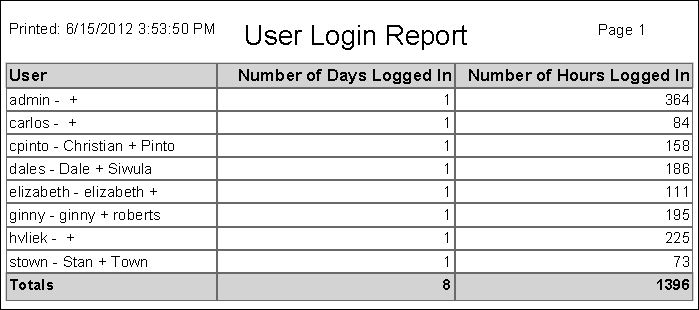
User Login Summary Report
Navigate:  Configuration > Security and User Maintenance > User Login Summary Report > Print User Login Summary Report
Description
Print a report summarizing the length of time the selected users were logged into Aumentum for a specific date range.
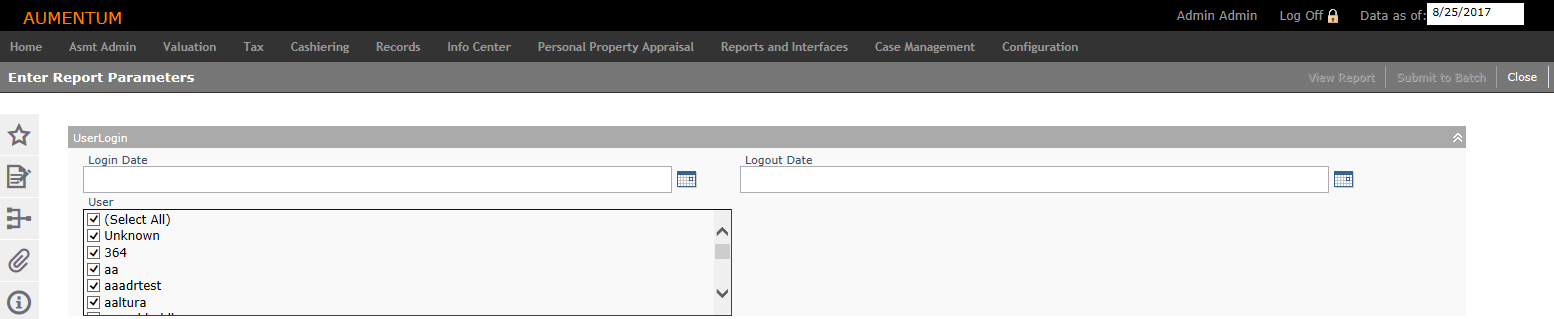
Steps
-
Enter a Login Date.
-
Enter a Logout Date.
-
Select the Users you want to included on the report.
-
Click View Report to view a report of redemption in the time frame you selected.
OR
Click Submit to Batch to process the report through the batch processor. You advance to the Monitor Batch Processes screen.-
Click Close to end the task.
-
Report Samples
User Login Summary Report